Immersive User Experience (UX) and Augmented Reality (AR)
In week three of emerging technologies, we explored marker based AR techniques. Marker based AR uses patterns that cameras can process to trigger an interaction on screen (Digital promise, ND). Most marker based AR use mobile applications to access the devices camera and scan a trigger to make something happen on the users mobile device screen. An example of marker based AR is Snapchat filters. Snapchats camera detects the users face and overlays it with visual elements thar alter reality. A famous example is the puking rainbow filter which gave the users large eyes and made a rainbow fall out when they would open their mouth.
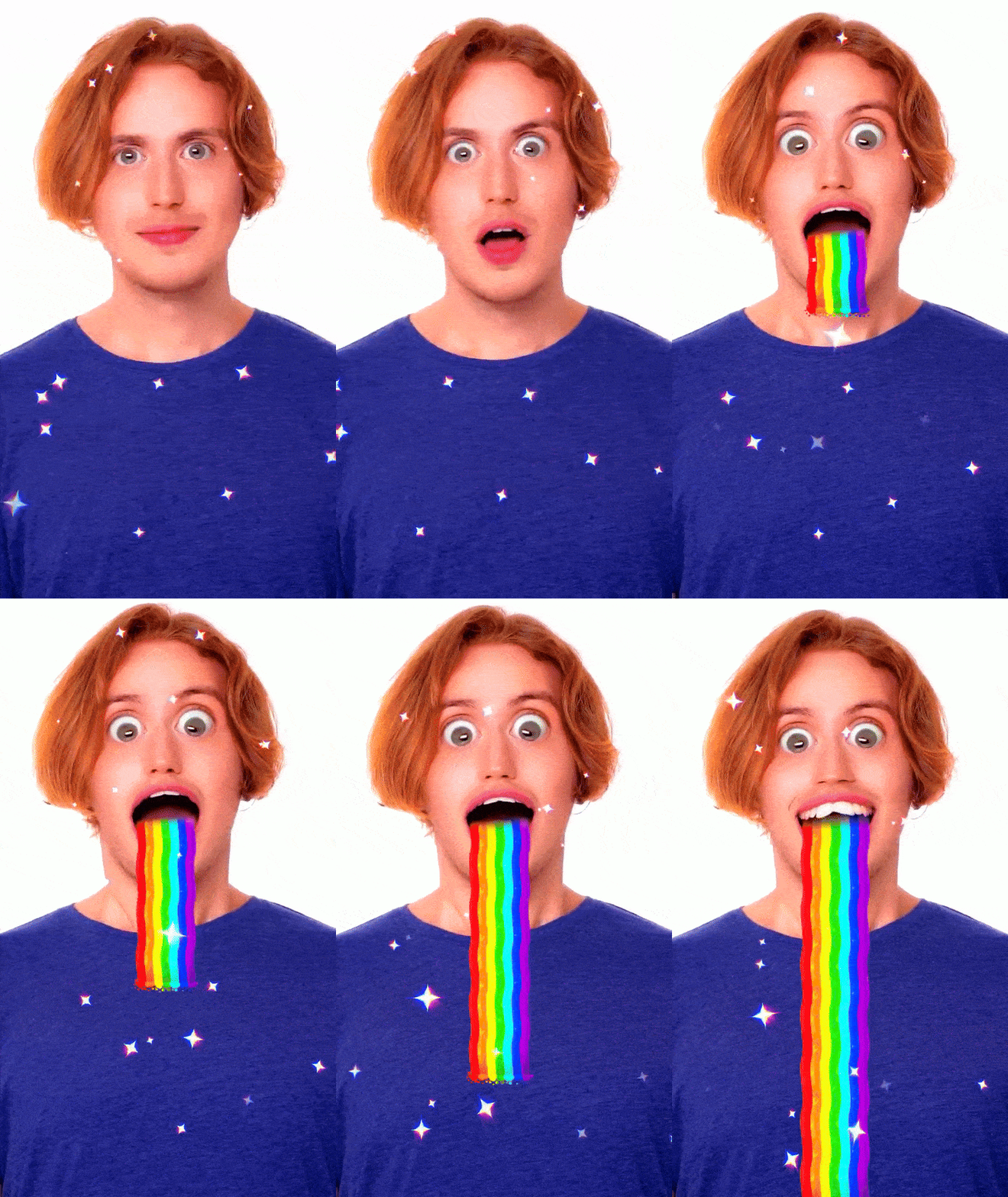
When first introduced, Snapchat filters were a new fun and interactive experience for users, and allowed brands to collaborate with Snapchat in creative ways through custom filters.
‘AR Filters (post-capture) are designed to elevate brand engagement and interaction within the camera after content has been captured’ (Snapchat, 2024).
I have used Unity to create my own marker based AR interactions. I first followed a tutorial to become used to Unity and the Zapper camera. I learnt how to train images so that they could be used as targets to trigger the interaction to start. The first tutorial uses 2D elements over a tracker image, buy I then did the same but with a 3D object to create more dimension.
To preview the interaction, I had to upload my Unity files to Zapworks. Zapworks is a website which lets you produce no code augmented reality content and lets you share the content with other people without them needing to download any apps. Zapworks gave me a QR code which when scanned on a mobile device, opened a web browser page and allowed me to access the camera and motion sensors to then point at the trigger image, showing the animation.
I then made my own AR interaction with a different image and a 3D model downloaded off the internet. When picking an image to use as a trigger there are some considerations you need to make. First, your image shouldn’t have too much blank space or solid colour because it is not recognised as complex data. Second, your image should have high contrast for better tracking performance. Third, you should avoid repetitive patterns, and finally, you should keep the image aspect ratio between 4:1 and 1:4 to avoid the file size being too big to load. (Zapworks, 2024)
My Zapworks interaction is a croissant on a plate in a cafe. When the image is aimed at, the croissant lifts from the plate to look like it is jumping out of the screen.
AR interactions can be used to promote. For example, an interactive poster for a film or event could have a QR code which tells users to point their phones at the poster for it to become three dimensional or animated. This makes the poster more dynamic and can create a viral marketing moment for the events.
References
Digital Promise (nd) Types of AR – Digital Promise [Article]. Available online: Types of AR – Digital Promise [Accessed: 22/10/2024]
Snapchat (2024) About AR Filters [Article]. Available online: About AR Filters [Accessed: 22/10/2024]
Snapchat (2024) Puking Rainbow Lena by Snapchat [GIF]. Available online: Puking Rainbow Lens by Snapchat – Snapchat Lenses and Filters [Accessed: 31/10/2024]
Unknown (nd) Plates on Table [Image]. Available online: https://www.google.co.uk/url?sa=i&url=https%3A%2F%2Fwww.pinterest.com%2Fpin%2F179088522672465545%2F&psig=AOvVaw03vlZLM6alGKjimxdQWCFK&ust=1730723153127000&source=images&cd=vfe&opi=89978449&ved=0CBQQjRxqFwoTCKDz8qeUwIkDFQAAAAAdAAAAABAE [Accessed: 10/10/2024]
Zaal, Greg (2022) Croissant Model [3D Model]. Available online: Croissant Model • Poly Haven [Accessed: 10/10/2024]
Zapworks (2024) What Makes a Good Tracking Image? [Article]. Available online: General | What Makes a Good Tracking Image? [Accessed: 22/10/2024]