Product Animation
After I finished creating my 3D models in Blender, I moved on to creating my animation showcasing the products. To start with, I first looked at some food animations for inspiration.
The first animation I looked at was this one for a bakery. This animation uses close shots of both the food and the packaging in fun and dynamic ways such as with the cookie popping up and repeating, or the seal being ripped off quickly. The audio used is upbeat and adds to the fun feeling of the animation. The animation also shows the cookies being crumbled up and broken into, with sound effects to show how crunchy the cookies are. At the end, there is a final shot of the full product and text appears saying ‘available in three flavours’, this makes the product more appealing to a larger audience who might want to try some of the other products.
The second animation was for a drinks company. This animation uses fast paced shots and shows the different flavours of the drink with the matching colour of the drink in the background which makes each flavour stand out. Then the ingredients fly up around the cans and the drinks are shown being poured into a glass. This animation is very fast paced and energised, and the music matches well as it also feels fast. There are extra sound effects when the drinks are poured to make it sound as if the music is playing under water which adds a fun touch and attention to detail in the animation.
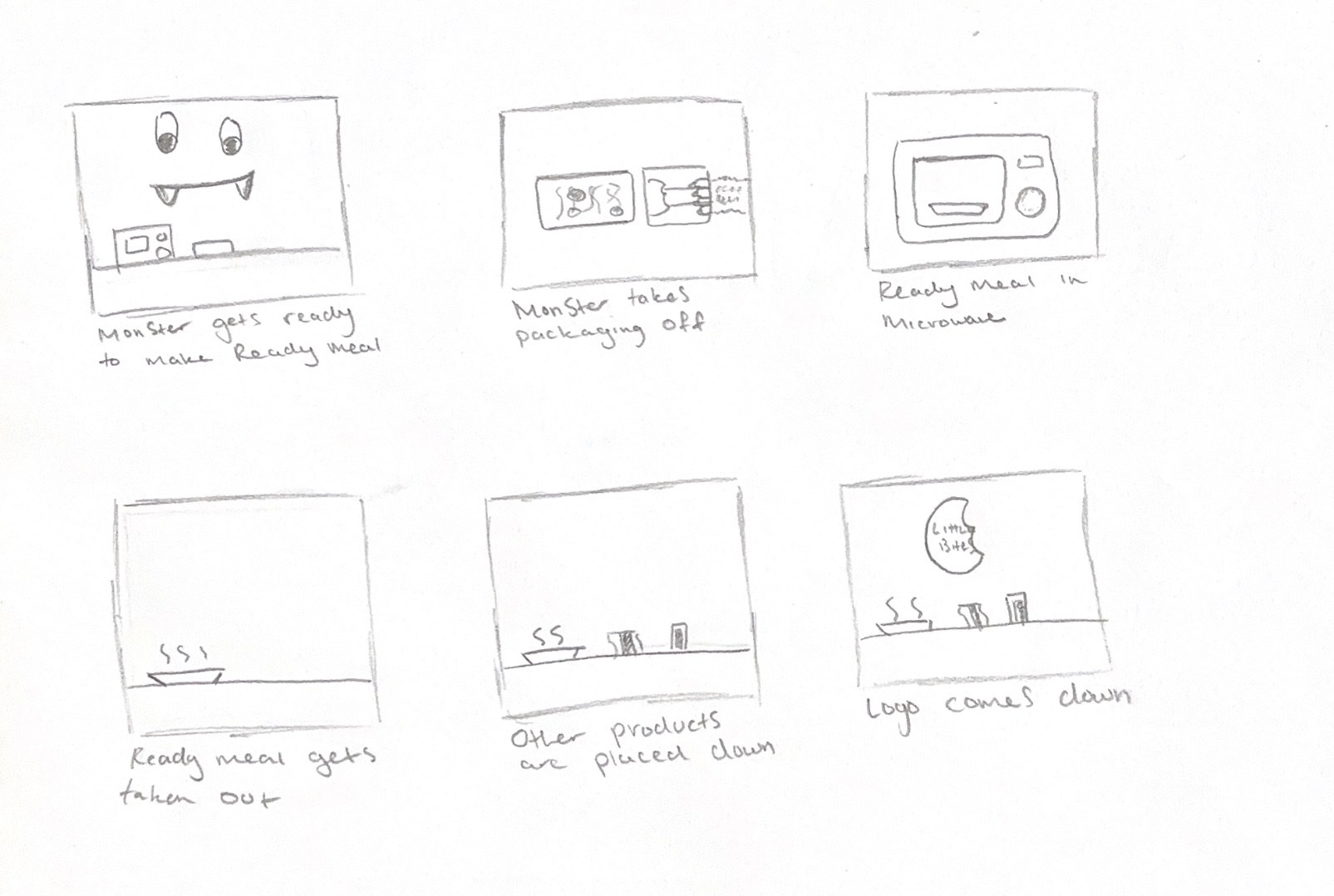
I then made my own animation storyboard. This was my first storyboard, showing a monster character preparing the ready meal in the microwave, taking it out of the packaging and dishing it up. I initially wanted to use the character to appeal more to children, but I ended up abandoning this idea when I realised that it would require me to not only learn 3D character design, but to learn how to set up and rig the character’s limbs to make it move. The monster character had also not appeared anywhere else in my brand, and it felt disconnected to the rest of it.
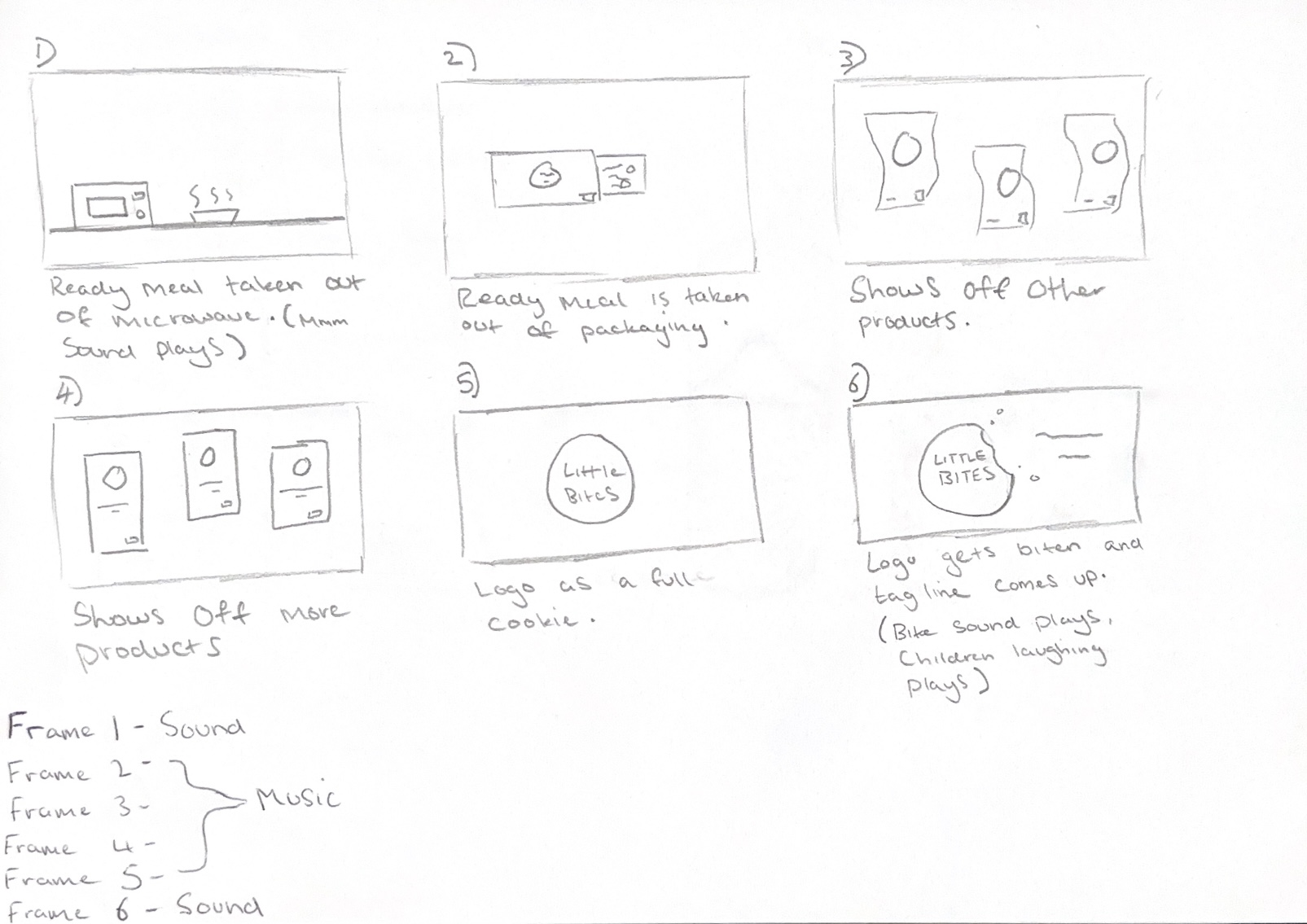
I instead chose a simplified storyboard design, where the ready meal is shown being prepared in the microwave and then the animation switches to also show the other products through dynamic shots which add energy and excitement. At the end, all the products are shown together, and the logo appears over the final frame.
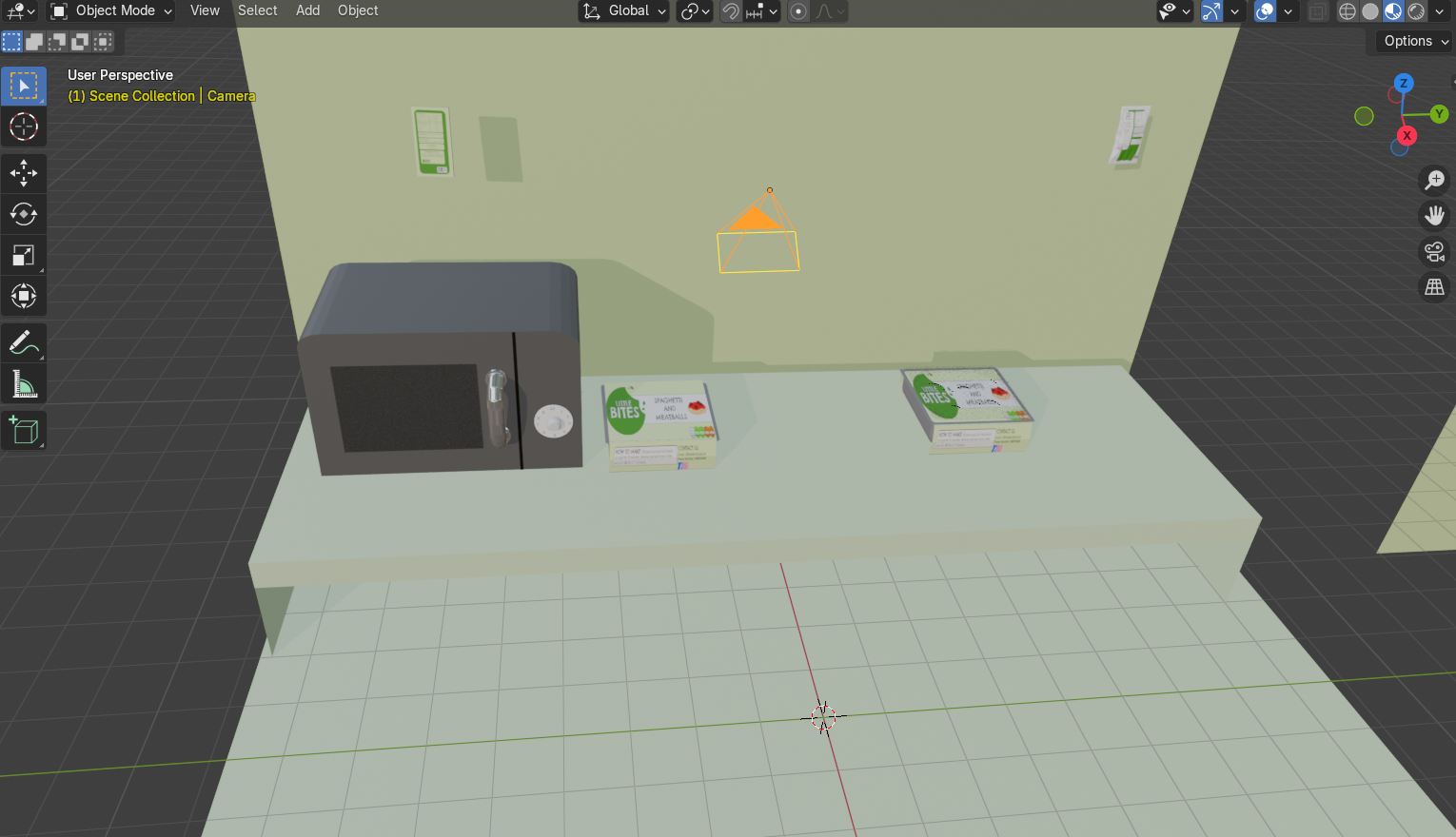
Once I had my storyboard completed, I started to set up a kitchen scene and modelled some items to go in it, such as a worktop, a wall and a microwave. I added my camera set up and some basic lights, but I also used a studio HDRI from Polyhaven to create a more even lighting set up and some smaller spotlights to draw more attention to focal points within the scene.
With the scene now set up, I started to keyframe and move the models within the scene to match what happens in my storyboard. The animation was set to 24fps but my first render didn’t go as planned because I didn’t take this into consideration, so the first version was only 5 seconds long and was too short. I went back and moved all my keyframes over so that the animation lasted longer, with the animation now being 10 seconds long. To render the animation, I used the render engine called EEVEE which is not only faster at rendering but is more stylised and suited for an animation for a brand aimed towards children. The cycles engine takes longer to render because it uses more accurate lighting settings to render materials more realistically, but my animation didn’t need to be as realistic since it is more playful. I rendered the animation as a PNG sequence rather than a video sequence because I didn’t want Blender to crash during the render process and lose progress, forcing me to start again. Rendering as an image sequence means that if the program crashes, you can just continue again from the frame you were last on.
Then I brought the PNGs into Premiere Pro and used the import as image sequence tool to turn the frames into an animation. I wanted to add text and sound, so I exported the animation as an MP4 and moved it to Adobe Express to easily add text and sound from their free sound library. For the audio, I chose a track called ‘Happy Kids’ which was upbeat and suitable for a children’s animation. I also brought my logo in as a PNG overlay as well as a modified version of the logo but with a full cookie shape because I wanted to create a playful effect by having the cookie be bitten into at the end as a way of adding personality to the animation. For the crunching sound effect, I used another sound from Adobe Express of a crunch noise.
Reference List:
Majboroda, Sergej (2022) Studio Small 08 [HDRI]. Available online: Studio Small 08 HDRI • Poly Haven [Accessed: 16/03.2025]
Roberts, Lauren (2020) CINEMATIC PRODUCT VIDEO Go Good Drinks [Video]. Available online: https://www.youtube.com/watch?v=CBxgZxjdJyk [Accessed: 10/03/2025]
TakeOne TV (2021) Iklan Sweet Talk Bakery – Product Commercial Video [Video]. Available online: https://www.youtube.com/watch?v=hWVJucr3Il8 [Accessed: 10/03/2025]
Unknown (nd) Crunch – crush single short crushes [Audio]. Available on Adobe Express. [Accessed: 18/03/2025]
Unknown (nd) Music – Happy Kids [Audio]. Available on Adobe Express [Accessed: 18/03/2025]