Prototyping Your Immersive Experience
In week one of Emerging Technologies, we learned how to create 360 videos in Blender and to publish them onto YouTube as VR format.
360 videos create more immersive content because they allow the viewer to explore the whole scene by dragging their mouse around the screen to the places they want to look at. It is like a panoramic picture, which shows an orthographic view of a scene and multiple angles at once, but with a 360 video there is more control since the camera can be moved around instead of everything being presented in one flat view.
“It gives the user a sense of being inside the video, experiencing it from within, making it somewhat immersive.” (VRdirect, 2023)
The viewer feels like they are inside of the video, and they are given more control because they can look around and see everything all around them instead of being limited to only one place to look.
To make my own 360 video, I started in Blender by adjusting the camera settings to capture a panoramic view of the workspace. This makes the scene look like a 2D panoramic image when rendered out, but I then imported the image sequence into Premiere Pro to make it into a clip before uploading it to YouTube as a VR video.
For my 360 video, I first made a story board to plan what would happen and I decided to make a simple animation showing a house in a forest. The camera moves around a little bit to show different parts of the scene but I didn’t add too many details as this was a simple animation to test the use of 360 VR camera.
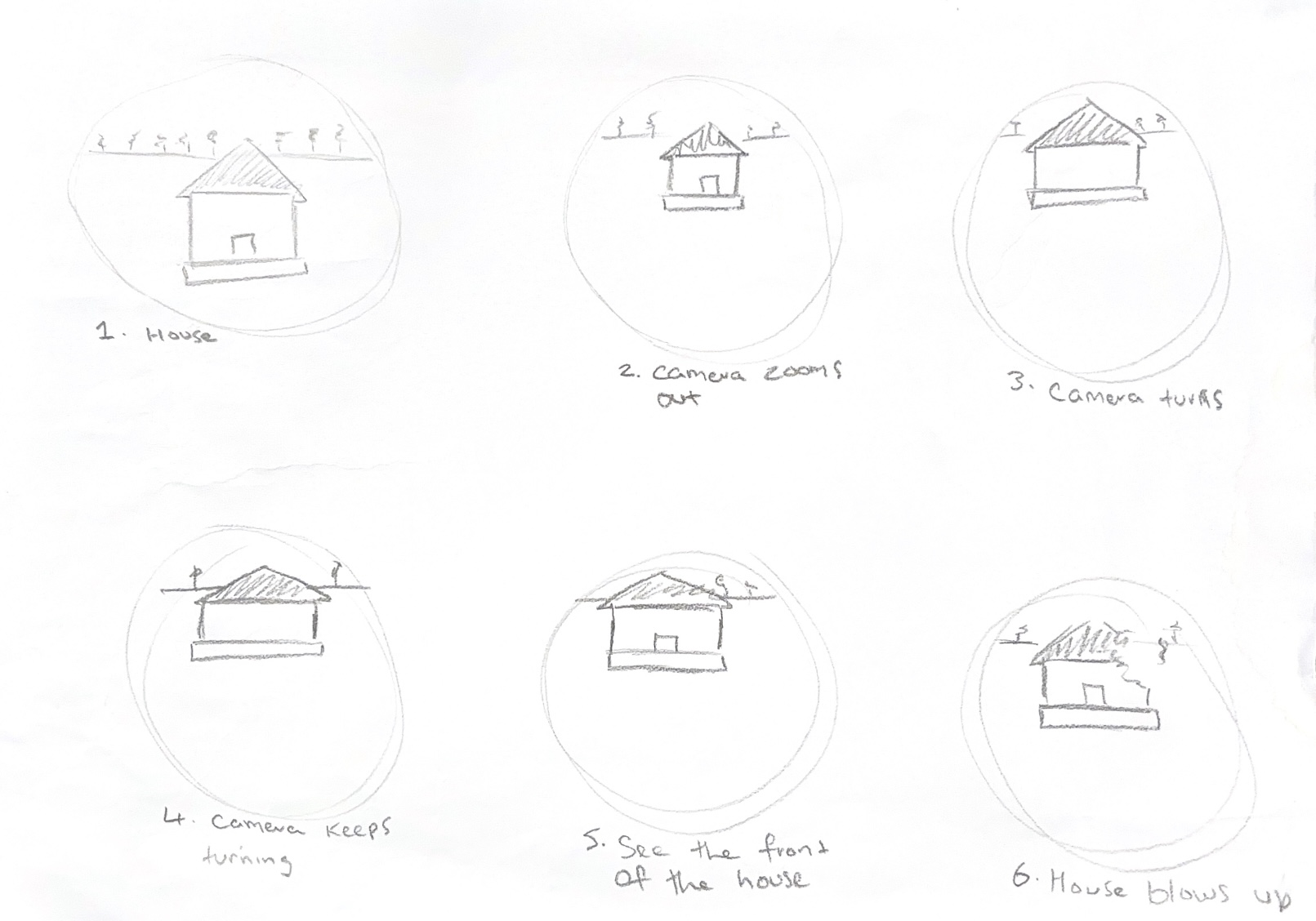
In Blender I imported a HDRI and a model of a house which I made. I had already set the camera up, so I just added some movements around the house with the camera. I tried to keep the camera movements minimal because lots of users can experience motion sickness in VR because it can confuse the senses. I set the scene to 300 frames at 30fps, creating a 10 second animation. It took a while to render because it was in cycles, so if I were to make another, I would consider this in advance, so I had enough time to produce my animation because you can only set up a 360 camera in cycles and not EEVEE.
360 VR videos are a good way to make the user feel like they are in the video. They can also be used to enhance the real world around them, like at Alton Towers where the ride ‘Galactica’ used to be a VR ride which let users wear headsets whilst on the ride, making them feel like they are flying through space. This matched the cosmic theming of the roller coaster and created a more memorable and immersive experience for riders. This video shows a side-by-side comparison of the ride with VR and without, and you can see that the VR offers more storytelling through visuals and sounds combined with the motion from the coaster.
In week one, we also learnt how to use geometry nodes in Blender to make something break apart. I practiced doing this on a cube. These effects could be used in a 360 animation to make the story more exciting and add interesting movements.
In week two, we tried out FrameVR. FrameVR is a website that allows you to interact with other users by joining them in different worlds. The FrameVR website says that it can be used for remote work, virtual meetings and sales and marketing.
“Frame makes it easy to communicate and collaborate in 3D environments, right from the web browser” (FrameVR, 2024)
In FrameVR you can upload your own objects for others to look at, or they can even collaborate and add their own. Supported objects include images, videos, 3D models, audio files and documents. Users can also chat through their microphone or by text chat boxes which display chat bubbles over their avatars.
In FrameVR, you can make your own world and invite others to join you. When I started making my own world, I thought of what I might want to showcase to users. I decided to show off my work from my first and second year at university and some work from outside of university. I made a sketch to plan the world out and decide how to lay my work out to users visiting the world.
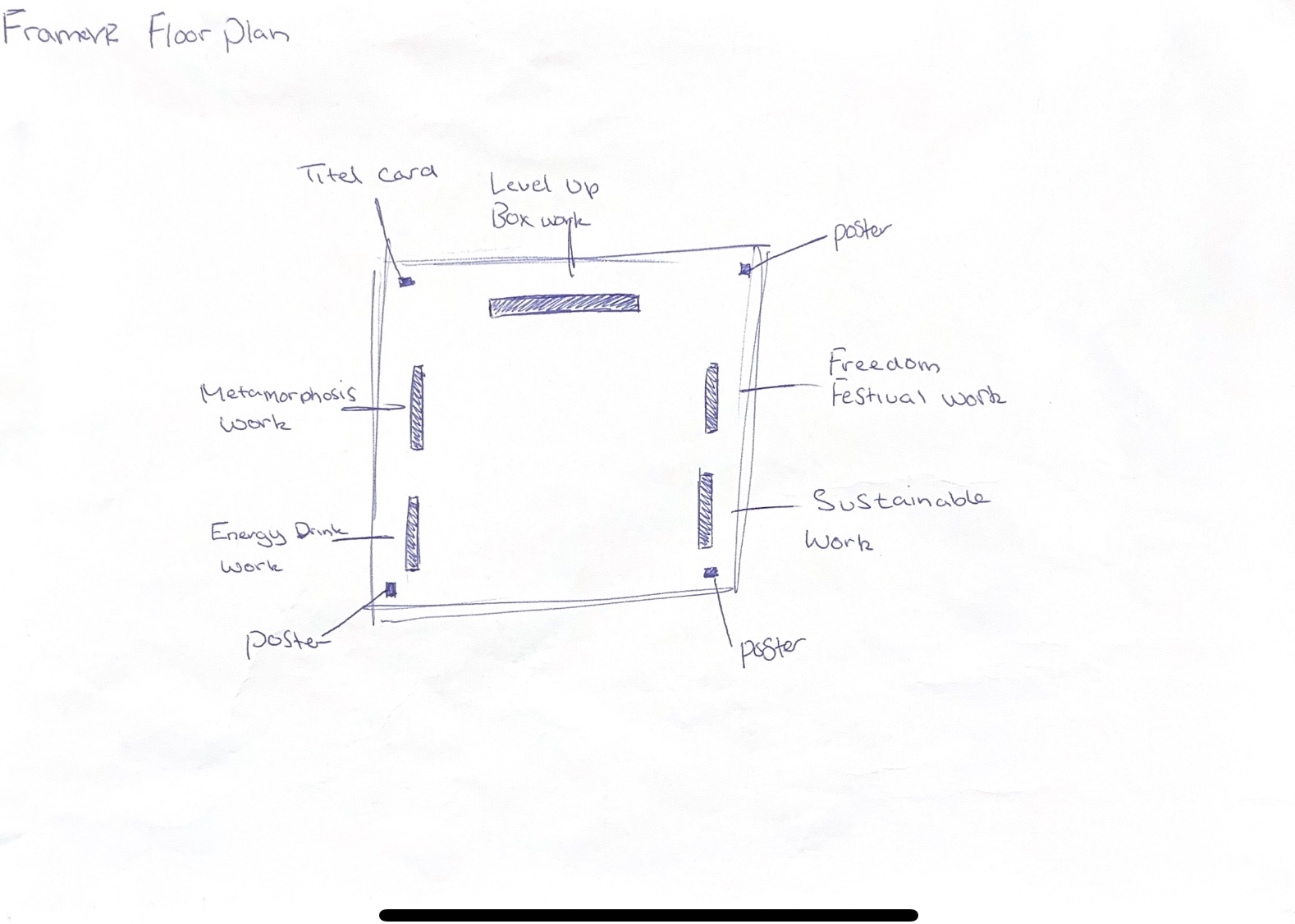
I then imported my work into FrameVR where I wanted each piece to be and invited classmates to join and look around at my work. It felt like a museum exhibition, which is one way a platform such as FrameVR could be used to present work to other people.
Another similar platform to FrameVR is RecRoom, which is a cross-platform game available on PC, Console, mobile and VR. Users can create their own custom avatar to represent themselves and join different rooms to chat and interact with others.
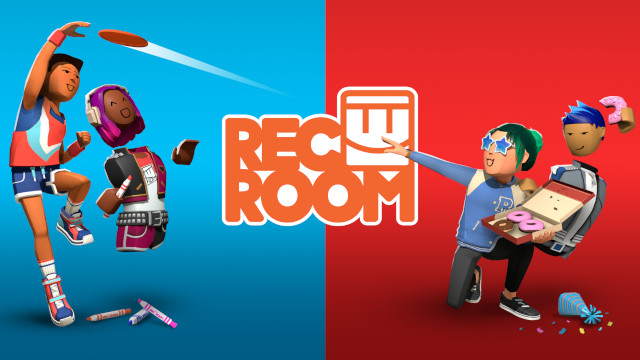
Both RecRoom and FrameVR allow users to join in VR experiences and use their own avatars, but there are some considerations for these types of platforms. One of the biggest issues is online harassment and safety, especially for young users.
“Researchers found that social VR users face unique safety challenges shaped by new social norms and cultural values.” (Zheng, 2023)
Social VR safety is a growing issue since users can connect with all sorts of people, which presents them with risks such as verbal harassment, virtual violence, cyberbullying and more. It is important to consider user safety and put clear policies in place for misconduct and offer support to users who might feel harassed.
References
FrameVR (2024) Frame – Immersive Meetings, Classes, Events [Webpage]. Available online: https://learn.framevr.io/ [Accessed: 16/10/2024]
Rec Room (2024) Rec Room [Image]. Available online: https://www.google.co.uk/url?sa=i&url=https%3A%2F%2Frec.net%2Fswitch&psig=AOvVaw3tet1qTj5qIlxcpu-NnqXO&ust=1730721885164000&source=images&cd=vfe&opi=89978449&ved=0CBQQjRxqFwoTCIj_iMuPwIkDFQAAAAAdAAAAABAE [Accessed: 31/10/2024]
SmoothCoasters (2022) Galactica, Alton Towers, VR vs No VR Side By Side comparison POV [Video]. Available online: https://www.youtube.com/watch?v=mVXnpSaU1Hs [Accessed: 31/10/2024]
VRDirect (2023) What are 360° videos, and how can you use them in a VR project to make things immersive? [Quote]. Available online: What are 360° videos, and how can you use them in a VR project to make things immersive? – VRdirect [Accessed: 25/10/2024]
Zaal, Greg (2017) Autumn Hockey HDRI [HDRI]. Available online: https://polyhaven.com/a/autumn_hockey [Accessed: 12/10/2024]
Zheng, QingXiao (2023) Social VR Safety: New Research Insights into Risks and Protections in New Online Spaces [Article]. Available online: https://medium.com/acm-cscw/social-vr-safety-new-research-insights-into-risks-and-protections-in-new-online-spaces-fa9c88e6f273#:~:text=Safety%20concerns%20aren%E2%80%99t%20solely%20due%20to%20design%20flaws,from%20offline%20norms%2C%20further%20complicate%20safety%20risk%20management [Accessed: 25/10/2024]