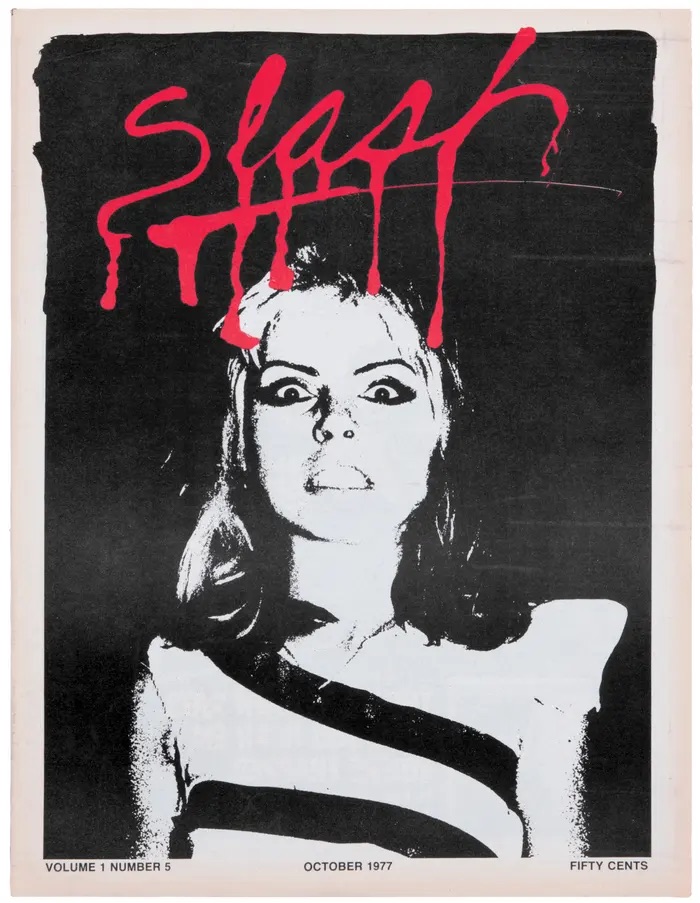
Left: A good example of conceptual logo design
This is a magazine masthead (logo) which employs conceptual design. This is Slash Magazine, a punk magazine from the 1970’s. This logo uses conceptual design in a subtle way that isn’t too obvious and yet still manages to capture the magazine’s identity. The logo is blood red and the typeface has been manipulated to look like dripping blood, as if the text has been slashed in. The logo is underlined and this line also looks like blood that is dripping, creating a horror-inspired look which is dramatic and a little bit edgy. Because the magazine was all about punk culture, bands and other slightly unconventional topics for that time, the masthead is a reflection of the strange, bizarre side of these subcultures. The blood red colour is striking and creates lots of contrast against the black and white image underneath it. This logo shows creates the sense that this magazine isn’t afraid of being gritty and embraces being different to the more mainstream options of magazines available at that time. Alongside being edgy, the logo also seems quite fun and expressive, the design is prominent and definitely stands out which tells us that it wants to provoke the reader, it wants to shock you and draw you in. It embodies the non-conformist punk attitude by being imperfect, which is reflected in the logo by the messy, varied lengths in which the drips are formed. Even the line going underneath the text tapers off and hasn’t been made to be all one continuous line weight – which further adds to the perception that the magazine isn’t concerned about being absolutely perfect. This masthead manages to give us a brief idea of what the magazine is about and creates a personal identity for the magazine also.
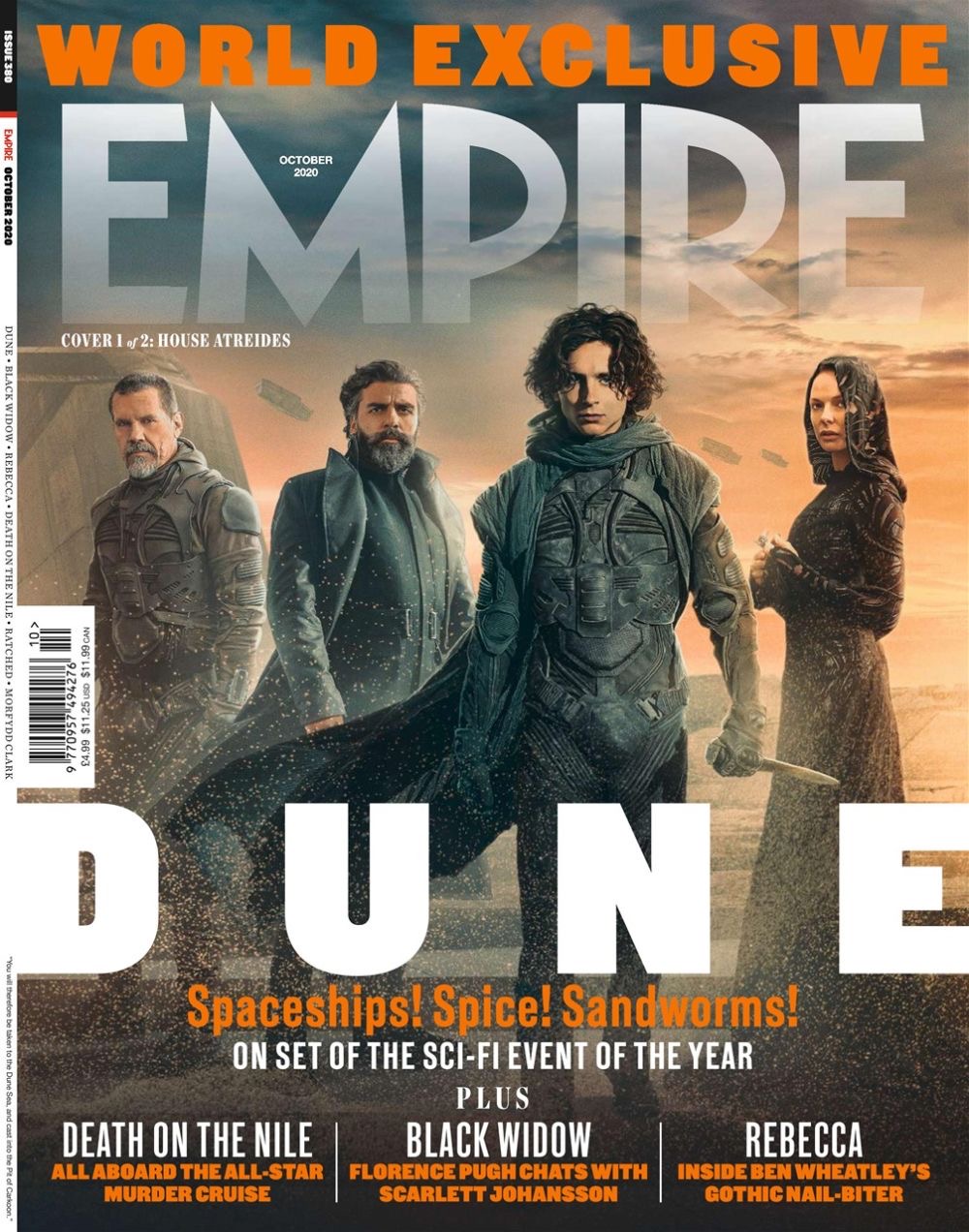
Left: An example of a non-conceptual logo design
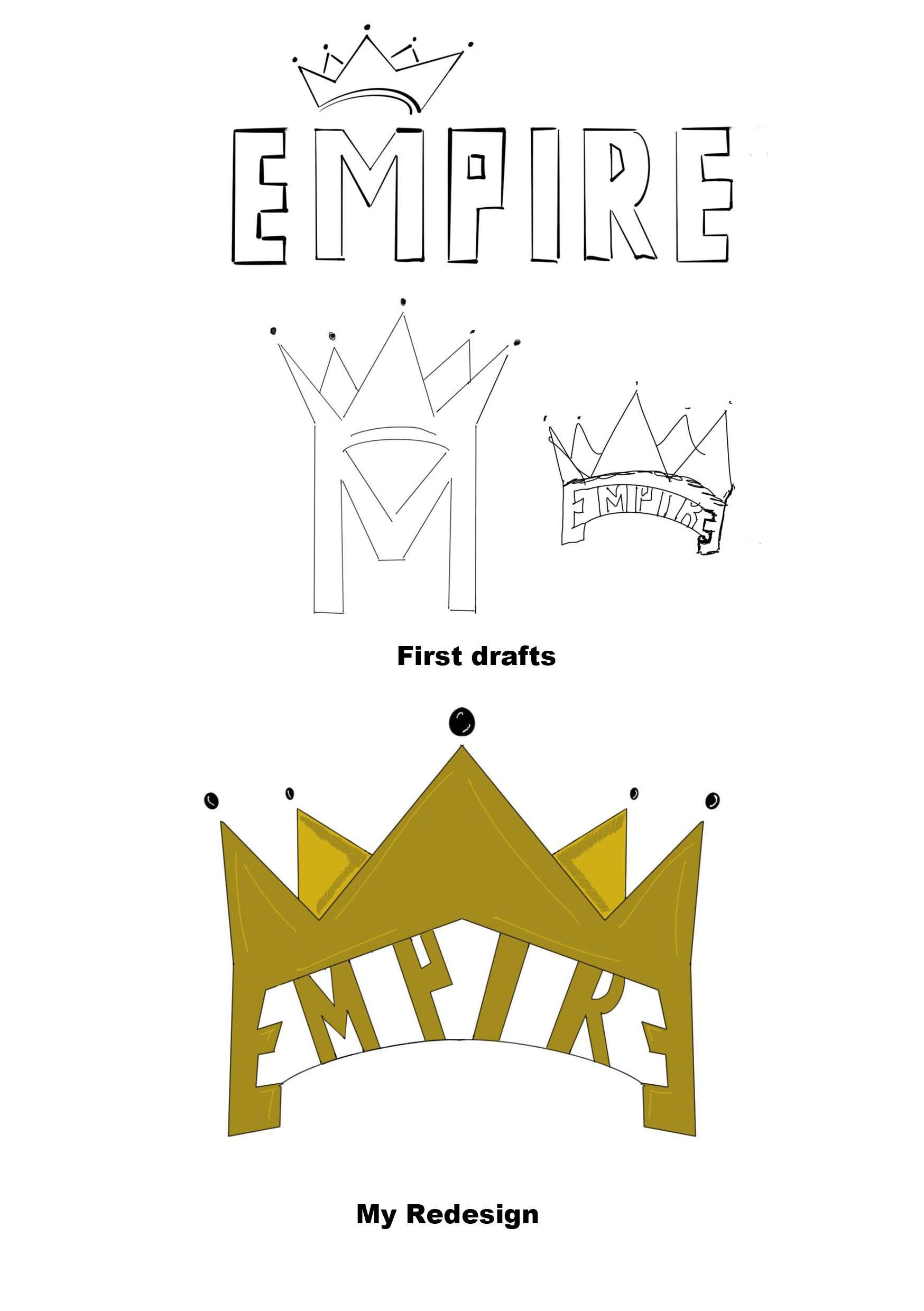
This is a masthead for Empire magazine. This logo doesn’t employ conceptual design and is instead a bold, impactful sans-serif typeface. I think the intention of this logo was to appear strong and dramatic, since Empire focuses on major film and TV news. I have redesigned this logo to appear more conceptual, taking inspiration from the boldness of the original masthead. I began brainstorming words associated with Empire and came up with the concept of a crown to suggest regality and pride. In my first sketches, I illustrated the crown hovering over the M in Empire, but I felt as though it didn’t really merge with the design and didn’t seem to flow very well. I then thought of just using the singular M, this time with the crown replacing the points of the letter, conjoining the two more seamlessly. I liked this but thought it it would more likely be seen as ‘M Magazine’, and not ‘Empire’. I then experimented by having the word be fit into the band of the crown, with each corner being mirrored and turned into E’s. This design felt more conceptual and appeared dramatic and theatrical, which reflects the theme of the magazine. The masthead also has a sense of symmetry which makes it appealing to the eye due to the two E’s at the beginning and end of Empire are mirrored. I kept the lettering within the crown as a sans-serif typeface as I felt that using a serif typeface would clash too much with the rest of the design, which already has a lot going on, so the more simplistic typeface keeps a sense of balance in the design.
Bauer Media Group (2020), October 2020 Issue [Magazine]. Available online: Empire’s Dune World-Exclusive Covers Revealed | Movies | Empire (empireonline.com) [Accessed: 11.10.2022]
Hat & Beard Press (1977) Slash Magazine October 1977 [Magazine]. Available online: The Magazine that Unflinchingly Chronicled LA’s Nascent Punk Scene (hyperallergic.com) [Accessed 10.10.2022]